
Reduce Monthly Parking Churn: Renewal Workflows, Failed Payment Recovery, and Grace Periods

Monthly parking churn usually isn’t a dramatic “I’m canceling today” moment. More often, it’s quiet—and preventable.
A parker’s card expires. A payment fails. They miss a notice. Access gets interrupted. They get frustrated and move on.
If you want to reduce monthly parking churn, focus on retention operations: the renewal workflow, the failed payment recovery path, and the grace-period policy that keeps customers active without turning your team into a collections department.
This post is not about invoicing. It’s about keeping good customers from lapsing in the first place.
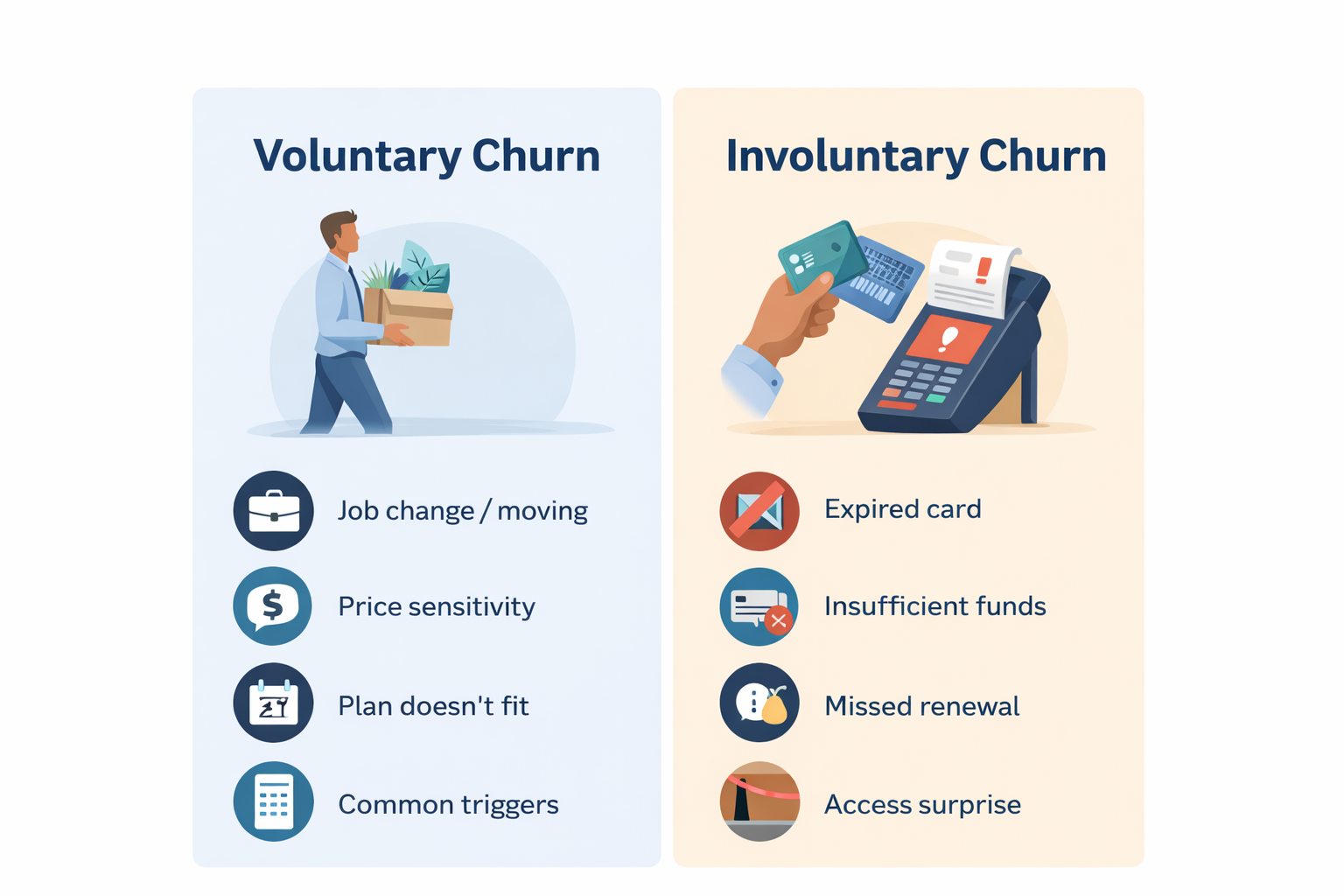
Start by separating churn into two buckets
Before you change anything, label churn correctly. It changes what you fix—and how fast you see results.
Voluntary churn (the customer chooses to leave)
Common reasons:
Job change, moving, remote work schedule
Price sensitivity or competitor option
The plan doesn’t fit their actual parking pattern
You fight voluntary churn with pricing/packaging, plan flexibility, and experience.
Involuntary churn (the customer intended to stay, but lapsed)
Common triggers:
Expired or reissued card
Bank decline or insufficient funds
Missed renewal notice or unclear messaging
No obvious self-serve way to fix payment
Account status changes cause surprise access interruption
Involuntary churn is the easiest win. Most of these customers will stay if you make the fix fast and obvious.
Map the renewal lifecycle (what actually happens)
Monthly parking is operational. Your renewal process should be operational too—clear, repeatable, and consistent across locations.
A simple lifecycle to standardize:
Renewal reminder(s) go out before the charge
Auto-renew charge attempt runs on the renewal date
If paid: confirmation/receipt, account stays active
If failed: recovery sequence triggers (not manual outreach)
Grace period applies (based on your policy)
If unresolved: suspension (temporary)
If still unresolved: lapse/cancel (after clear steps)
Reactivation path is self-serve first, staff-assisted second
If your team is frequently handling “why did my access stop?” calls, it’s usually because one of these steps is missing or inconsistent.
Auto-renew rules that prevent accidental lapses
The goal of renewal rules is simple: predictable for parkers, enforceable for operations.
Make auto-renew the default (with clear terms)
Most monthly parkers expect “on until I cancel.” That means:
Auto-renew enabled by default for subscription-style plans (where appropriate)
Clear cancellation terms displayed at sign-up and in the account experience
A receipt or confirmation after each successful renewal
Standardize your renewal model
Pick one model per plan type and stick with it:
Calendar month renewals (common for garages tied to a “month” definition)
Rolling 30-day renewals (common for pure subscription models)
Both can work. The problem is mixing models without communicating it.
Send renewal reminders before the charge
Don’t wait for failure to start communicating. A simple baseline:
3–7 days before renewal: “Your monthly parking renews on [date]”
Day of renewal: confirmation/receipt if successful
You’re not trying to send more emails. You’re trying to reduce surprises and avoidable declines.
Keep renewal details easy to find
Parkers should be able to see:
Next renewal date
Renewal amount
Payment method on file (at least the last four / type)
What to do if they need to update vehicle/plate
If basic updates require staff intervention, you’re building churn into your process.
Failed payment recovery that saves accounts (without creating a support desk)
A failed payment is not a “lost customer.” It’s a workflow issue until proven otherwise.
Your recovery plan should include:
A clear “update payment” path (self-serve first)
A retry schedule (often handled by your payment processor, if supported)
A communication sequence (email baseline; SMS where enabled and opted-in)
A grace-period policy that balances customer experience and enforcement
What is typically handled in your parking platform vs. your payment processor
Typically handled in your parking management platform:
Account status visibility (active, past due, suspended, canceled/expired)
Automated notices (failed payment alerts, delinquency/suspension messaging)
Self-serve payment update experience (so staff isn’t the bottleneck)
Clear messaging in the parker experience (“what happens next”)
Typically handled by your payment processor (where available/configured):
Failed payment retry logic (“smart retries”)
Card updater tools (to reduce churn from expired/reissued cards)
Payment authentication steps (where applicable)
SMS delivery (if you’re sending texts via a processor or messaging provider)
You don’t need every capability in one place. You need a connected workflow that gets the parker from “failed” to “fixed” quickly.
Recommended dunning sequence (email + optional SMS)
Here’s a practical sequence that works for most monthly programs. Adjust timing to fit your policies.
Day 0 (immediately after failure)
Email: “Payment failed—update your payment method to keep parking active.”
SMS (optional, if enabled + opted-in): “Payment failed. Update here: [link].”
Day 2
Retry attempt #1 (processor, if supported)
Email reminder with the same single call-to-action
Day 5
Retry attempt #2 (processor, if supported)
Email: “Grace period ends on [date]—update payment to avoid interruption.”
Day 7
If still unpaid: move to past due or suspended (based on your policy)
Email: “Access may be interrupted—fix in 2 minutes.”
Day 10–14
Final notice + next step: “Reactivate anytime by updating payment.”
Keep the messaging consistent. When every email says something different, customers delay. When every message points to one action, recovery rates go up.
Copy-ready templates (short and usable)
Email subject lines:
Action required: update payment to keep monthly parking active
Your monthly parking renewal didn’t go through
Grace period ending: update payment to avoid interruption
Email body (simple, operator tone):
Your monthly parking payment didn’t process.
To keep your access active, please update your payment method here: [Update Payment]
If you’ve already updated your payment, you can ignore this message.
SMS (optional, opt-in):
Monthly parking payment failed. Update payment to keep access active: [link]
Grace periods that protect revenue and keep operations calm
Grace periods are not about being “soft.” They’re about preventing avoidable chaos.
If you cut off access immediately after a failed payment, you often create:
More calls and emails
More lane exceptions and manual overrides
More customer frustration (including from people who would have paid)
A short grace period gives good customers time to fix normal issues without requiring staff involvement.
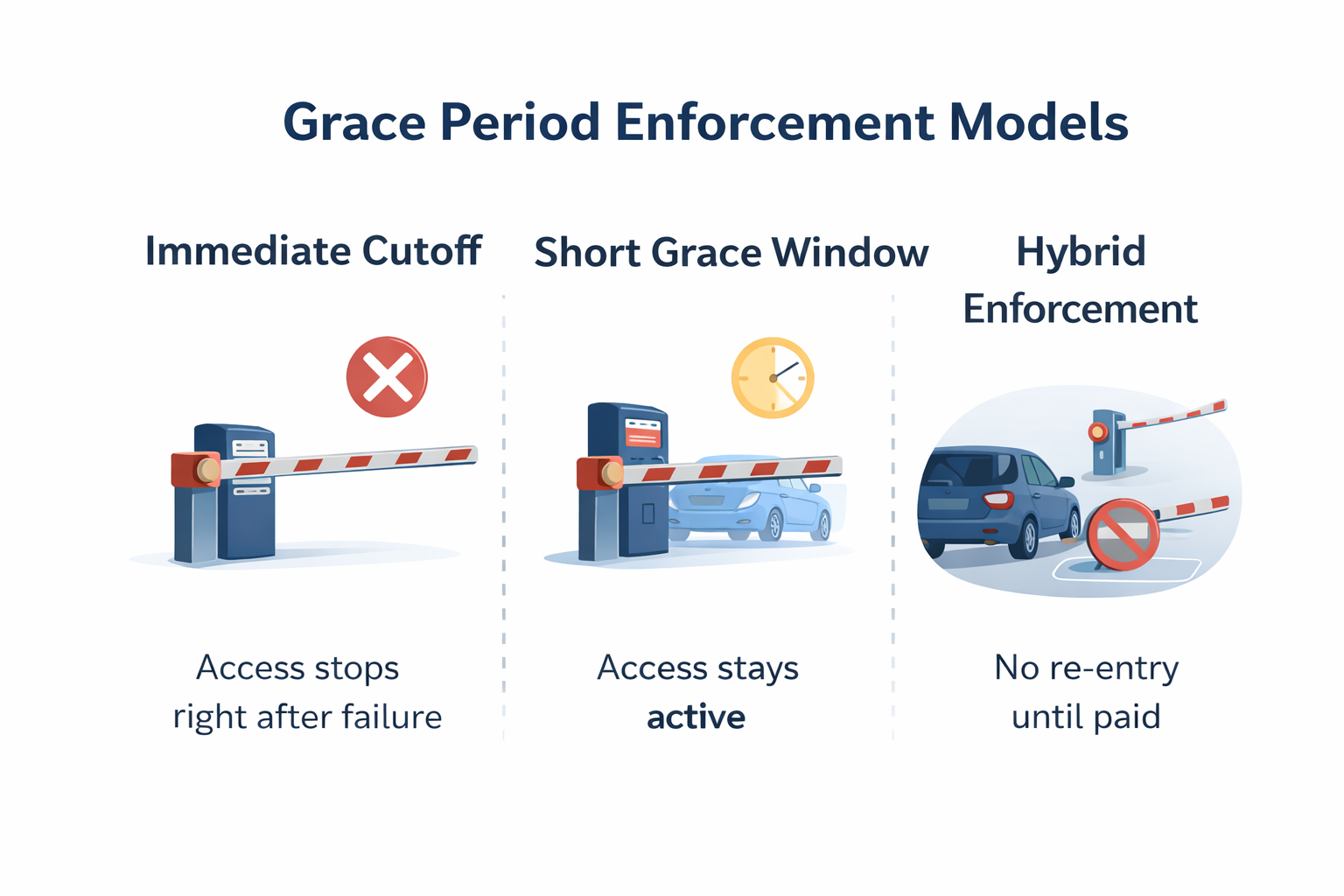
Three common grace-period models (choose intentionally)
Immediate cutoff (strict enforcement)
Access stops right after failure
Lower risk of unpaid usage
Higher risk of lane disruption and escalations
Best for: low-volume sites where exceptions are easy to handle.
Short grace window (operator-friendly default)
Access stays active for a short window while recovery notices and retries run
Access changes only if the issue isn’t resolved
Best for: busy garages, hospitals, campuses, downtown assets.
Hybrid enforcement (entry allowed, but no re-entry)
Customer can exit, but can’t re-enter until payment is resolved
Reduces “I’m trapped” edge cases
Encourages fast correction without peak-hour shutdowns
Best for: locations balancing enforcement with throughput.
Key point: align grace periods with access control reality
Whatever policy you choose, keep it consistent and documented. When rules vary by location with no clear logic, staff ends up improvising at the gate—and customers lose trust.
Suspension and reactivation should be reversible and self-serve
Suspension is part of enforcement. Reactivation is part of retention.
If reactivation requires a phone call, email chain, or office visit, you’ll lose customers who intended to stay. The recovery path must be simple and fast.
Operational best practices:
Define a small set of account states (example: Active → Past Due → Suspended → Canceled/Expired)
Automate communications at each step (failed payment, delinquency, suspension notice)
Make payment updates self-serve wherever possible
Keep an audit trail so staff can resolve disputes quickly
Reactivation: make it one obvious action
A strong reactivation flow is a single clear step:
Update payment → Account restored (with clear timing on when access resumes)
If you want the self-service side of monthly parking in more detail, read:
Empower Parkers To Drive Their Monthly Parking Experience
https://www.zephirepark.com/blog/empower-parkers-to-drive-their-monthly-parking-experience
Reactivation offers (use sparingly, but use them on the right segment)
You don’t need to discount your program to win people back. You need to remove friction and target the right customers.
Consider win-back messaging/offers for:
Recently lapsed customers (last 30–60 days)
Long-tenure customers who hit a payment snag
Corporate/tenant accounts where one lapse can become a broader churn event
Low-risk “offers” that don’t train customers to wait for discounts:
Waive a reactivation fee (if you use one)
“Reactivate today to keep your current rate” (price-protection framing)
Simplify reactivation: fewer steps, clearer messaging, faster confirmation
The best retention tool is often not a discount—it’s a smoother process.
KPIs to track (so you know it’s working)
You don’t need a complicated model. You need visibility that helps operations take action.
Core retention ops metrics:
Involuntary churn rate (lapses tied to payment failures)
Recovery rate (failed payments recovered within X days)
Days-to-recover (median time from fail → active)
Past-due volume (accounts at risk today)
Support load tied to renewals (tickets/calls)
A good monthly ops dashboard answers one question quickly:
Who is at risk today, and what happens if we do nothing?
How Zephire supports retention operations (without overpromising)
Retention isn’t one feature. It’s a workflow across self-service, operator controls, communications, and access.
Where Zephire helps:
Parker self-service through the Parker Portal, so customers can manage key account details without waiting on staff
Operator controls through admin tools that support consistent policies, account status management, and automated communications (email as a baseline; SMS where enabled through your configured messaging/payment stack)
Group and portfolio administration for operators managing multiple locations or corporate/tenant programs
Touchless and PARCS integration options to help align access behavior with account status changes (depending on your deployment and integrations)
If you want, Zephire can help you map your current renewal process and identify the specific breakpoints driving involuntary churn—then standardize the workflow across locations.
Reduce monthly parking churn without adding staff workload
If you want to tighten your renewal workflow, reduce failed-payment lapses, and bring consistency to grace periods and enforcement, we can help you design a process that fits your operation.